OnlyFans is a platform for users aged 18 and over, and it can be a great place for creators to share content and connect with their audience. However, it’s important to understand the risks of OnlyFans before you get started, especially around privacy and protecting your identity.
Common concerns for OnlyFans creators include content leaks and being recognised by someone they know. In this guide, we’ll explore the key risks of OnlyFans and provide practical tips to help you stay protected.
Is OnlyFans Safe for Creators?
Yes, OnlyFans is generally safe for creators, but it isn’t completely risk-free. The platform has security measures to protect creators and their personal information, but creators can still face risks such as scams, identity theft, hacking and content leaks.
OnlyFans uses a range of security features to reduce these risks, including encrypted personal data, PCI-compliant payment processing, two-factor authentication, watermarking, and tools for blocking and restricting users.
Creators must also verify their identity when signing up, which adds an additional layer of security and can make it more difficult for fraudulent accounts to be created. For more information, see our guide on how to verify your OnlyFans account.
The Biggest Risks of Having an OnlyFans Account
If you’re new to OnlyFans, it’s worth understanding the risks of being a creator. No platform can fully stop content from being copied or shared, so knowing what to look out for helps you protect yourself early.
Content leaks and piracy
One of the biggest risks of OnlyFans is having your content leaked or redistributed without your permission. Subscribers can use screen-recording software, take photos or videos of their screen using another device, or use other tools to save content from the platform.
Once content has been copied, it can be shared across other websites and platforms, including Telegram, Reddit, adult sites, and dedicated content-leak websites. This can make it difficult to control where your content appears or how widely it is distributed.
Content piracy can also have a financial and reputational impact. If your paid content is freely available elsewhere, potential subscribers may be less willing to pay for it.
How to protect yourself:
- Add a watermark: Put a unique watermark on your content before uploading it, such as your creator name or page link. It won’t stop anyone from copying your content, but it can discourage unauthorised sharing and make it easier to trace where a leak came from.
- Know your rights: As a creator, you own the copyright to the original content you make, so you have the right to take action if it’s used or shared without your permission.
- Keep your original files: Save the unedited, full-quality versions of everything you post. They can help prove the content is yours if you need to make a takedown request.
What to do if your content is leaked: If you discover that your OnlyFans content has been shared without your permission, you can take steps to request its removal:
- Report the leak to OnlyFans: Contact OnlyFans’ DMCA team and report the unauthorised use of your content. Provide the relevant information and URLs needed to identify the material.
- File a takedown notice with the site host: Contact the website hosting the leaked content and submit a DMCA or copyright takedown request. Include the URLs of the infringing content and any information required to establish that you own the copyright.
- Request removal from Google: If the leaked content appears in Google’s search results, you can request removal of the relevant URLs where eligible. This removes the page from search results, rather than removing the content from the website itself, so it’s best used alongside a takedown request to the site hosting the content.
- Let your subscribers know: If the leak is likely to cause confusion or affect your subscribers, consider letting them know that your content has been shared without your permission. You can remind them where to find your official account and ask them not to share or engage with unauthorised copies.
Doxxing, stalking and identity exposure
Your identity and location can be exposed in ways you might not expect. Doxxing is when someone gathers and shares your personal information without your consent, while stalking involves repeated and unwanted contact or attempts to monitor or locate you.
Creators can reveal more information than they realise through details in their content. For example, reflections in mirrors can show recognisable locations, while distinctive tattoos or other personal features can make it easier to identify someone. Photos can also contain metadata, such as information about where an image was taken.
How to protect yourself:
- Use a separate email address and phone number: Avoid using contact details connected to your personal accounts wherever possible.
- Consider not showing your face: If staying anonymous is a priority, creating content without showing your face can make it more difficult for people you know to recognise you. However, it doesn’t guarantee anonymity, as other identifying details can still reveal your identity. For more tips, see our guide on how to make money on OnlyFans without showing your face.
- Remove metadata: Strip potentially sensitive metadata from photos and videos before uploading them.
- Check your surroundings: Look carefully at backgrounds, windows, mirrors, reflections, street signs, landmarks, and other identifiable details before posting.
- Avoid reusing usernames: Use a creator-specific username that isn’t connected to your personal social media accounts. For inspiration, take a look at the best OnlyFans name ideas.
- Use geo-blocking: OnlyFans lets you block access from specific countries or regions, such as where you live or work.
- Don’t share location details: Avoid posting your current location, routine, home address, workplace, or information that could help someone determine where you are.
Hacking and account security
If someone gains access to your account, they could access private information or contact your subscribers. A compromised account can also be difficult to recover and may affect your reputation if someone uses it without your permission.
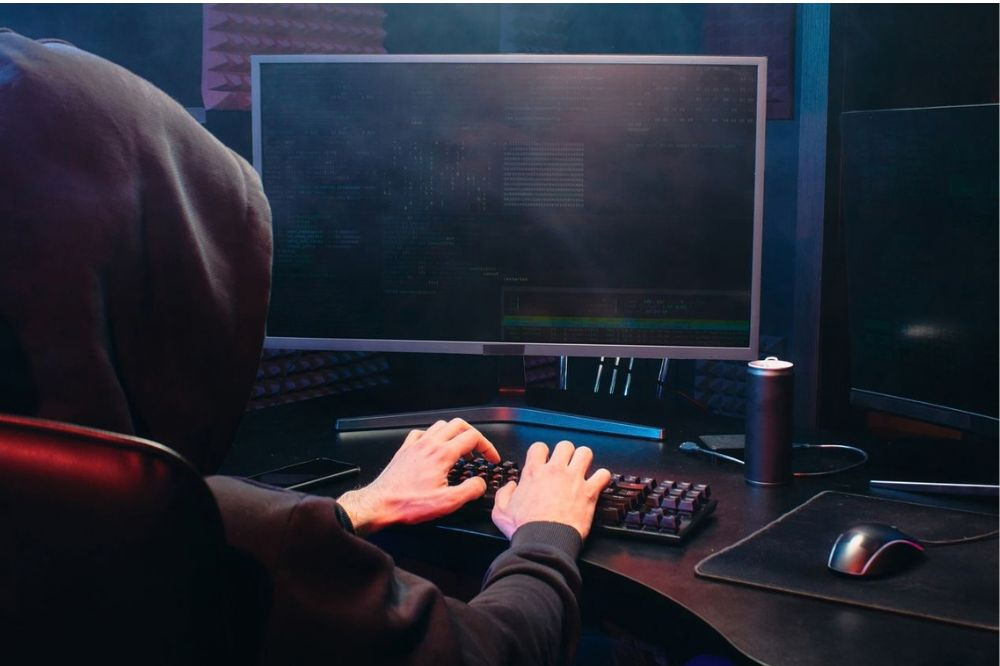
One of the most common ways people lose access to online accounts is through phishing. Scammers may send emails or messages containing links to fake login pages designed to look like OnlyFans. If you enter your username and password, the attacker may be able to use those details to access your account.
Weak or reused passwords can also make accounts more vulnerable, particularly if the same password has been exposed through a breach on another website.
How to protect yourself:
- Turn on two-factor authentication: This adds an extra layer of protection even if someone manages to obtain your password.
- Use a unique, strong password: Don’t reuse your OnlyFans password on other websites or services.
- Be cautious with links: Avoid logging into OnlyFans through links sent in unexpected emails or messages. Navigate to the official website yourself instead.
- Never share your login details: OnlyFans support should not require you to give your password to resolve an issue with your account.
- Check your account activity: Keep an eye out for unfamiliar login activity or changes to your account that you didn’t make.
- Secure your email account: Your email is often connected to password resets, so make sure it has a strong, unique password and two-factor authentication enabled where available.
Impersonation and AI deepfakes
Someone may create a fake account using your name, username or stolen photos. These accounts can be used to scam your followers, damage your reputation, or direct people to other websites.
AI deepfakes are another growing concern. Someone can use publicly available photos or videos to create fake content that appears to show you, even if you never created or shared the content yourself. This can be particularly concerning for creators because it can be difficult to control how their likeness is used once it has been copied or manipulated.
How to protect yourself:
- Report fake accounts: If you discover an account impersonating you, report it directly to the platform and provide any information needed to verify your identity.
- Keep your official links together: Have your genuine OnlyFans and social media accounts clearly linked from one place, making it easier for followers to identify your real accounts and avoid impersonators.
- Be careful about what you share publicly: The more photos and videos of yourself that are publicly available, the more material someone may have to create fake content from.
- Monitor your name and image: Regularly search for your creator name and consider using a reputable monitoring service to help identify fake accounts or unauthorised content.
- Keep evidence: If you find an impersonation account or AI-generated content using your likeness, take screenshots and save the URLs before reporting it. This can be useful if you need to make further reports or takedown requests.
For more information, see our guide to OnlyFans and AI-generated content.
Scam promoters and bad agencies
Scams are another risk OnlyFans creators need to be aware of, especially if you’re looking for ways to grow your audience and increase your earnings. Fake promoters may contact creators through unsolicited DMs, promising to promote their account or bring in new subscribers in exchange for an upfront payment. After receiving the money, the promoter may disappear without providing the agreed service.
Creators should also be cautious when working with OnlyFans agencies. There are legitimate agencies that can help with marketing, content strategy, and account management, but some charge excessive revenue shares, offer little in return, or ask for full access to your account.
How to protect yourself:
- Avoid unsolicited promotions: Be cautious of anyone who contacts you unexpectedly offering guaranteed subscribers, earnings, or rapid growth.
- Research promoters and agencies: Check their reputation, reviews, previous work, and online presence before agreeing to anything. Explore our guides on OnlyFans agency red flags and how to find a trusted OnlyFans marketing agency for more information.
- Read the contract carefully: Make sure you understand the agency’s fees, revenue share, services, contract length, and cancellation terms before signing.
- Protect your login details: Only share account access with an agency you’ve vetted and signed a contract with.
- Watch out for unrealistic promises: Guaranteed earnings, huge numbers of subscribers, or instant growth should be treated as red flags.
Financial risks
Earning money on OnlyFans can be rewarding, but it comes with financial risks that are easy to overlook when you’re starting. Income can change a lot from month to month, and OnlyFans keeps 20% of what you earn, so your take-home pay will be lower than your total sales. For further insight, take a look at our guide on how much OnlyFans takes from tips.
Chargebacks are another risk to be aware of. A chargeback happens when a subscriber pays for content, views or saves it, then asks their bank to reverse the payment. If the chargeback goes through, the money can be taken back from your earnings, leaving you out of pocket for content you’ve already delivered.
Some banks may also flag or question payments from adult platforms. And because OnlyFans income is taxable, creators in the UK need to tell HMRC about their earnings. Learn more about paying tax in our guide to paying tax as an OnlyFans creator.
How to protect yourself:
- Plan for uneven income: Base your budget on your quieter months, not your best ones.
- Watch for chargeback red flags: Be cautious of new subscribers who spend large amounts very quickly or push for lots of custom content straight away.
- Keep payments on OnlyFans: Never accept payment through other apps or sites. You’ll lose the platform’s protection, and it breaks OnlyFans’ rules.
- Block repeat offenders: If a subscriber has disputed a payment before, block them and report the account to OnlyFans.
- Check your bank’s policy: Make sure your bank accepts payments from OnlyFans before your first payout.
- Report your earnings for tax: In the UK, if you earn more than £1,000 a year from OnlyFans, you’ll usually need to register for Self Assessment with HMRC and file a tax return. In the US, OnlyFans income counts as self-employment income, so if your net earnings (after expenses) are $400 or more in a year, you’ll need to report it to the IRS and pay self-employment tax.
Reputational and career risks
Even if you keep your OnlyFans account separate from your personal life, there is always a possibility that someone you know, a current employer, or a future employer could discover your content. Once photos or videos have been copied or leaked, you may have limited control over where they appear or who sees them.
This can create longer-term reputational risks. Depending on your circumstances, leaked content could affect professional relationships, future job opportunities or family relationships. Even if you remove the original content or close your account, copies may continue to circulate elsewhere.
There is no way to guarantee that your OnlyFans activity will remain private, so it’s worth thinking about the potential consequences before you start.
How to reduce the risk:
- Keep your creator identity separate: Use a different username, email address, social media accounts, and other identifying details where possible.
- Limit identifying information: Avoid sharing yourI hope you w workplace, home location, personal phone number, or other details that could connect your creator account to your everyday identity.
- Think carefully before posting: Consider whether you would be comfortable with the content being seen outside OnlyFans before uploading it.
- Review your privacy settings: Use available privacy and geo-blocking options to reduce the chance of people in specific locations finding your account.
- Have a plan for unwanted exposure: Decide in advance how you would respond if someone you know discovered your account or if your content was shared publicly.
How to Stay Safe on OnlyFans: A Creator Checklist
Staying safe on OnlyFans is easier when it becomes part of your routine. Use this checklist to make sure the basics are covered at every stage.
Before you launch
- Turn on two-factor authentication and choose a password you don’t use anywhere else.
- Set up your creator identity from scratch, including a new email, phone number and username.
- Review your privacy settings, deciding who can message you, comment on your posts and see your page.
- Open a separate bank account for your earnings to keep your finances simple.
Before every post
- Run a quick final check on your background, reflections and file metadata.
- Make sure your watermark is visible and hard to crop out.
Every month
- Search your creator name and images to spot leaks or fake accounts early.
- Check your login activity for anything you don’t recognise.
- Update your income and expense records ready for your Self Assessment.
- Review any agency or promoter agreements to make sure you’re getting what you pay for.
How the Right Support Reduces the Risks
Managing an OnlyFans account involves more than creating content. Keeping an eye out for leaked content, dealing with takedown requests, managing messages, and growing your subscriber base can quickly become a full-time job.
The right support can take some of that pressure off. A trusted OnlyFans management agency can help with tasks such as monitoring for the risks of OnlyFans leak sites, handling DMCA takedowns, managing chats, and growing your audience.
If you’re spending too much time dealing with the business and security side of OnlyFans, getting the right support can give you more time to focus on creating content and building your brand.
Want to spend less time managing the risks and more time growing your OnlyFans? Find out how our OnlyFans services can help.