

If you’re new to OnlyFans, starting with a new page and just a few subscribers can make it difficult to know what to charge. But a beginner-friendly OnlyFans menu can help.
Your OnlyFans menu should reflect your brand, showcase your personality and clearly tell fans how they can support you and what they’ll get in return. It’s also a great way to keep your DMs clutter-free by answering those all-too-common price questions before they even need to be asked.
In this guide, we’ll walk you through exactly what to include in your menu, how to choose your prices and how to create an OnlyFans menu that works for you and your fans.
What Is an OnlyFans Tip Menu?
An OnlyFans tip menu is a list of optional extras fans can pay for or tip on top of their regular subscription. It outlines the additional content, services or experiences you offer, such as custom photos or videos, so fans know exactly what’s available and how much each option costs.
A clear tip menu also helps you set expectations and establish boundaries around what you’re willing to offer. Unlike your subscription or PPV (pay-per-view) messages, a tip menu focuses on additional perks that fans can choose to purchase separately.
Think of it as a simple, easy-to-reference price list that makes it clear what you offer while saving you from repeatedly answering the same pricing questions in your DMs.
Your Beginner OnlyFans Menu: A Starter Template to Copy
Here’s a sample OnlyFans tip menu with suggested starting prices to give you some inspiration. You can adjust these prices over time based on demand and your niche. Read our guide on OnlyFans niches that make top money to see what unique content you could offer.
| Item | Price |
| Personal thank-you message | £5 |
| Rate a photo (written) | £10 |
| Voice note (1 minute) | £15 |
| Pre-made photo set | £20 |
| Bundle: pre-made set + voice note | £30 |
| Custom photo set | £40 |
| Short custom clip | £50 |
This pricing structure works well for beginners because it includes a low-cost entry option, a clear mid-range choice and a higher-priced option. The higher-priced option also helps anchor the value of your other offerings.
Beginner OnlyFans Menu Ideas
You don’t need to offer tons of extras to give fans more ways to support you. The best beginner menus include a few simple options that are easy to fulfil, along with more personal or interactive ideas.
Low-effort ideas
- Personalised shout-outs
- Written advice or opinions
- Choose-your-own caption
- Poll-based requests
- Personalised recommendations
Pre-made ideas
- Behind-the-scenes collections
- Themed content drops
- Seasonal content packs
- Archive collections
- Exclusive previews
Custom ideas
- Personalised captions
- Custom audio messages
- Choose-the-outfit requests
- Fan-selected themes
- Personalised greetings for special occasions
- Custom content based on a fan’s suggested scenario
Interactive ideas
- One-to-one live sessions
- Fan Q&A sessions
- Choose-what-happens polls
- Trivia or guessing games
- Fan challenges
You don’t need to use ideas from every category. Pick the options that suit your personality and boundaries, then see which ones fans respond to most.
How to Set Your OnlyFans Pricing Menu as a Beginner
When creating your OnlyFans pricing menu as a beginner, it’s best to start with fair prices that reflect the time and effort you put into your content. You can always increase your prices later as you build a loyal audience. To gain further insight, read our OnlyFans pricing guide.
Start with what your time is worth
Start by deciding how much you want to earn per hour, then use this figure to help price each type of content based on how long it takes you to create.
For example, a two-minute clip could take an hour or more to film, edit and prepare. Make sure your pricing reflects the total time and effort involved, rather than just the final length of the content.
Remember that OnlyFans takes 20%
When setting your prices, remember to factor in OnlyFans’ 20% platform fee. This means you receive 80% of the price a fan pays, so you may need to charge slightly more to reach your desired earnings.
For example, if you charge £10, you’ll receive £8 after OnlyFans’ 20% fee. Understanding this deduction can help you set prices that work for your income goals. For more information, read our guide on how much OnlyFans takes from tips.
Price pre-made lower than custom
Pre-made content is anything you’ve already shot, like a photo set or clip sitting in your collection. You can sell it to as many fans as you like, so every sale after the first earns you money with no extra work.
Custom content is different. It’s made from scratch for one fan, to their exact request, and you can’t usually resell it. That means more of your time for a single payment. A simple rule to follow is to charge at least double for custom content compared with the pre-made equivalent to make it worthwhile.
Use round numbers and clear jumps
Keep your pricing simple with round numbers that are easy to scan. Prices like £5, £10, £25 and £50 look cleaner on a pricing menu than awkward prices like £17 or £43.
There’s some psychology behind this, too. Research suggests that rounded prices can feel more natural and easier to process, particularly when someone is making a more emotional purchase. So rather than overthinking every pound, stick to simple prices that feel easy to say yes to.
You should also make sure each price feels like a clear step up from the last. This makes your menu easier to understand and gives fans an easy reason to spend a little more for something extra.
Add one bundle
Consider adding one bundle to your pricing menu. Like the bundle in our starter template, it makes it easy for fans to trade up. For example, you could offer content worth £35 for £30, giving the fan a clear saving while increasing the amount they spend in one purchase.
A bundle can also help you earn more from each fan without having to create additional content.
Tips for Creating an OnlyFans Menu
To create an effective tip menu, you need to understand your subscribers, your brand and the type of content you’re comfortable offering. From choosing the right offers to appealingly presenting them, these tips can help you create a menu that attracts attention and works for you as a beginner.
Tip 1: Understand your audience
Before creating your tip menu, think about who your audience is and how they like to communicate with you. This can help you choose the right tone for your menu and decide which content or extras to include. The more your menu feels tailored to your audience, the more appealing your offers are likely to be.
Tip 2: Choose a visually appealing template
A well-organised and visually appealing menu can grab your fans’ attention and make your offers easier to browse. Keep the design clean and easy to read.
As a beginner, start simple with a text post or a single image; you can upgrade to a swipeable carousel later. Most fans will see your menu on their phone, so use readable fonts, short lines and bold prices.
If you’re not sure where to start, try experimenting with templates on Canva. You can customise the colours, fonts, images and layout to create a menu that feels unique to you while still looking professional.
You can also use AI tools like ChatGPT or Claude to create a design for you. Simply describe the style and look you want, and let the tool do the rest. Learn more about using AI to help with your content by reading the OnlyFans AI-generated content policy.
Tip 3: Only offer what you’re comfortable creating
Focus on content and experiences you genuinely feel comfortable creating, whether that’s custom videos, fetish content, ASMR or something else. Listing something you don’t want to make will only lead to awkward DMs later.
If you’re still figuring out your niche, our guide on how to make money with feet content can give you some inspiration for building a more focused offer.
Set Your Boundaries Before Your First Order
Setting clear boundaries from the start makes your menu easier to manage and helps you avoid awkward or pushy requests. When fans know what you do, how orders work and what to expect, there’s less room for misunderstandings or back-and-forth in your DMs.
Add a short list of rules to the bottom of your menu, or share them alongside it. Keep them friendly and straightforward, but make sure your boundaries are clear.
OnlyFans tips menu rules to add:
- Payment is required before I start
- All orders must go through OnlyFans
- Custom orders are usually completed within 24–48 hours
- No refunds once custom content has been made
- I only create content that’s listed on my menu
Your boundaries are personal to you, so add any rules that help you feel comfortable and in control. You don’t need to explain or justify what you won’t do.
Downloadable OnlyFans Menu Templates
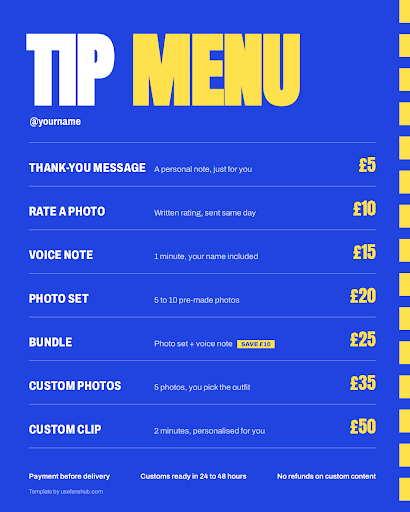
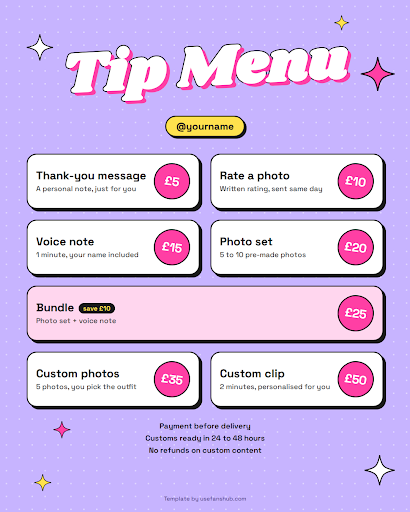
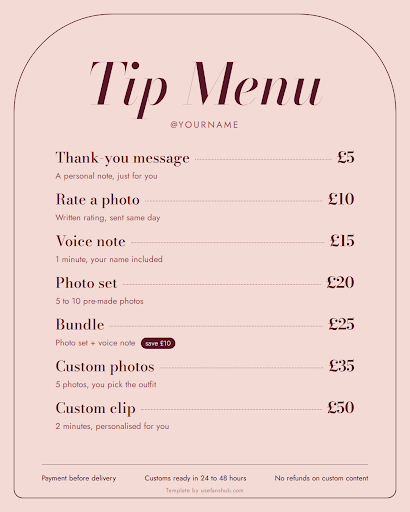
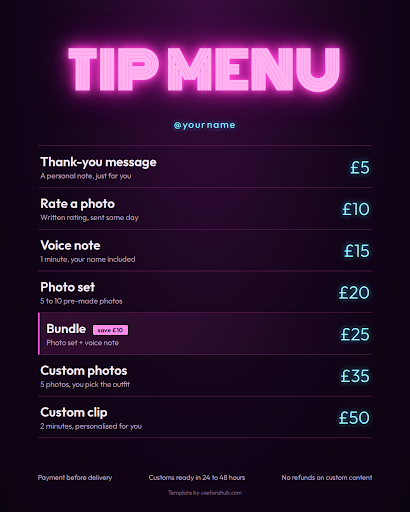
Want a head start? We’ve created four free beginner OnlyFans menu templates in different styles, from sporty to soft glam. Download the one that best suits your brand, then swap in your own items and prices before sharing it with your fans.
Sporty tip menu
Y2K tip menu
Soft glam tip menu
Neon nights tip menu
Where to Post Your Menu So Fans Actually See It
A great pricing menu is only useful if your fans can actually find it. Once you’ve put your menu together, make it easy to spot and give fans a few reminders without constantly pushing it.
Pin it to the top of your profile
Pin your menu so it’s one of the first things new fans see when they visit your profile. This gives them an easy way to see what you offer and how much your content costs without having to ask.
Add it to your welcome message
Your automated welcome message is a natural place to introduce your menu. New fans are already getting their first message from you, so you can point them towards your available extras and give them an easy way to see what you offer.
If you need help writing yours, check out our OnlyFans welcome message ideas for tips and examples you can use as inspiration.
Reshare it every week or two
Your menu doesn’t need to be a one-time post. Send it out as a mass message every week or two, but give fans a reason to look at it again.
You could highlight a new item, promote a weekend offer or put the spotlight on one of your most popular options. Just avoid sending the same message every time. A slightly different angle makes the reminder feel more like an update than spam.
Mention it in your captions and DMs
You can also bring up your menu naturally when you’re posting or chatting with fans. If someone asks what kind of content you offer, your menu gives you an easy answer without having to list every option yourself.
Your other social channels can help too. For example, if you’re promoting your account on Instagram, your posts and bio can help introduce new fans to your content before they arrive on your profile. For more ideas, see our guide on how to promote OnlyFans on Instagram.
Common Beginner OnlyFans Menu Mistakes to Avoid
We’ve covered what you should include in your beginner OnlyFans menu, but there are a few common mistakes worth avoiding too. Keep these in mind when putting yours together:
| Mistake | Why it’s a problem |
| Including too many options | A menu with 30 different items can quickly feel overwhelming. Aim for around 8 to 15 options instead, giving fans enough choice without making your menu difficult to browse. |
| Making everything cheap | Having lots of low-priced options might seem like an easy way to encourage sales, but it can also limit how much you earn from fans who are willing to spend more. Include a mix of lower, mid-range and higher-priced options. |
| Using vague descriptions | Avoid descriptions like “something special” or “a surprise”. Fans should know exactly what they’re paying for, so be clear about what each item includes. |
| Not tracking what sells | Your menu shouldn’t be set in stone. Keep an eye on which items get the most interest and sales, then use that information to improve your pricing and offers over time. |
If you’re not tracking your earnings yet, our OnlyFans earnings calculator can help you get a better idea of how much you could make from your content.
Ready to Launch Your OnlyFans Menu?
You don’t need a complicated pricing menu to get started. Keep your options simple, price your content around the time it takes to create and remember to account for OnlyFans’ fees. Once your OnlyFans pricing menu is ready, pin it to your profile and keep reminding fans about what you offer.
As your audience grows, you can test different prices, bundles and offers to see what works best for you. You can also explore our guide on how to make money on OnlyFans for the best tips on increasing your earnings.
If you’d rather spend your time creating content than managing prices, chats and promotion, FansHub can help. Our management services can take care of the day-to-day work while you focus on your content and audience.
See our OnlyFans agency services for women or OnlyFans agency services for men to find out more.